What I’m learning at college
I’m in the second year of a T Level in Digital Software Development at Leicester College, finishing in 2027.
- Course
- T Level in Digital Software Development
- College
- Leicester College
- Years
- 2025 – 2027
A T Level is a two-year course that mixes classroom learning with time working in the industry. My second year focuses on software development.
Languages I’ve learned
- HTML
- CSS
- JavaScript
- Python
- PHP · learning now
What the course covers
- 01
Problem solving
Breaking a problem into smaller steps and planning a solution before writing any code.
- 02
Programming
Writing, reading and fixing code, from the basics up to complete programs.
- 03
Testing
Checking that software does what it should, and finding and fixing what doesn’t.
- 04
Data
How data is collected, stored, organised and used, and how to keep it accurate.
- 05
Security
The common threats to websites and systems, and how to protect people and their data.
- 06
Laws and regulations
Data protection (GDPR), accessibility and copyright, and what they mean for a website.
- 07
Digital environments
How computers, networks and cloud services fit together and talk to each other.
- 08
Planning
Working out what a project needs, setting priorities and managing time.
- 09
Tools and communication
Working as part of a team, and explaining technical ideas to people who aren’t technical.
- 10
Business context
How digital work supports a business and its customers.
- 11
New technology
Emerging technology and the effect it has on people, businesses and society.
Alongside the course, I put what I learn into practice on real websites as a Junior Developer Intern at Lune Studio.
See my workPlanning and building
A website I built with my class group, and the planning the course has us do before any code gets written: researching the people who’ll use a site, writing down what it needs to do, and mapping out how it works.
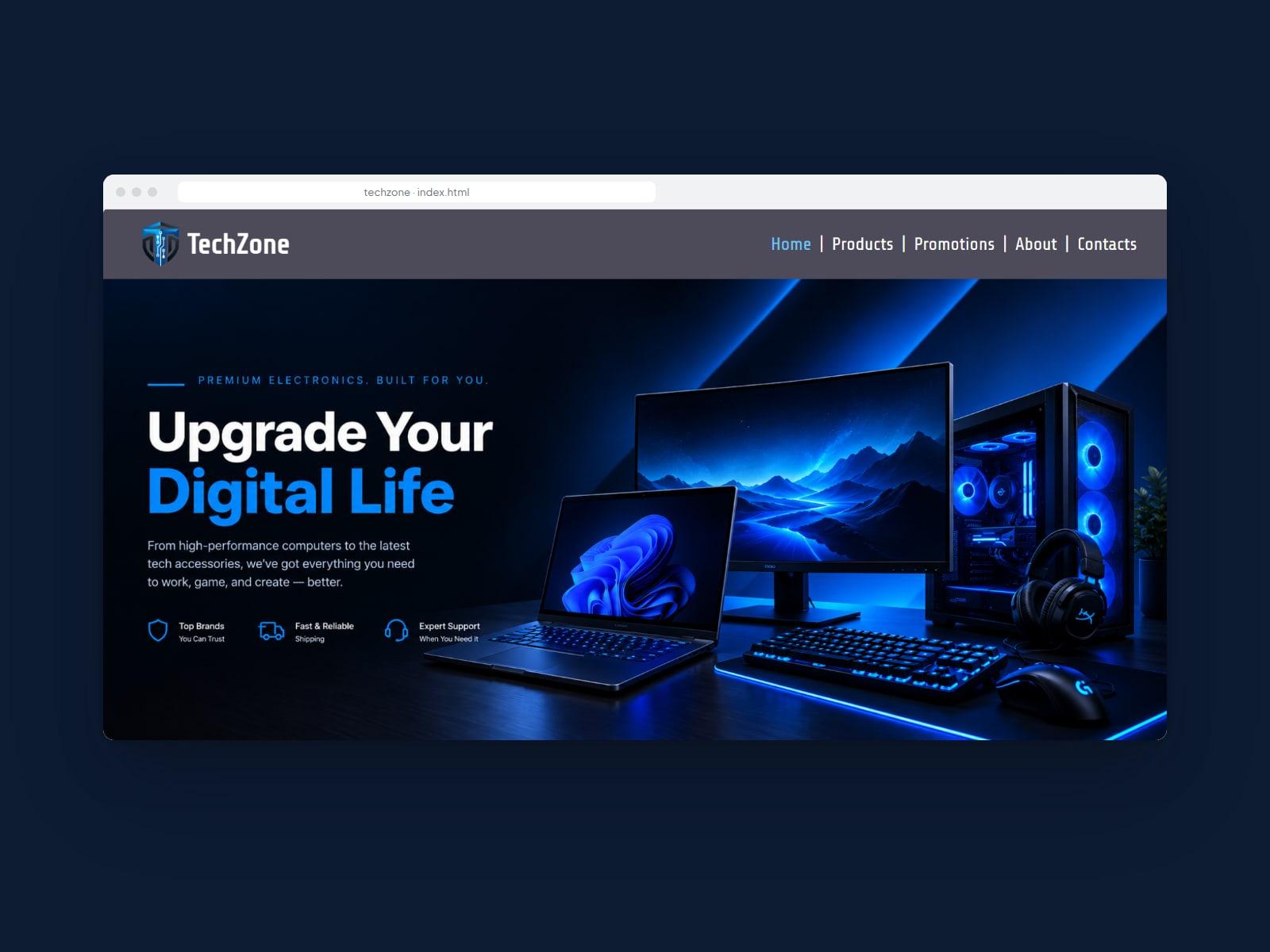
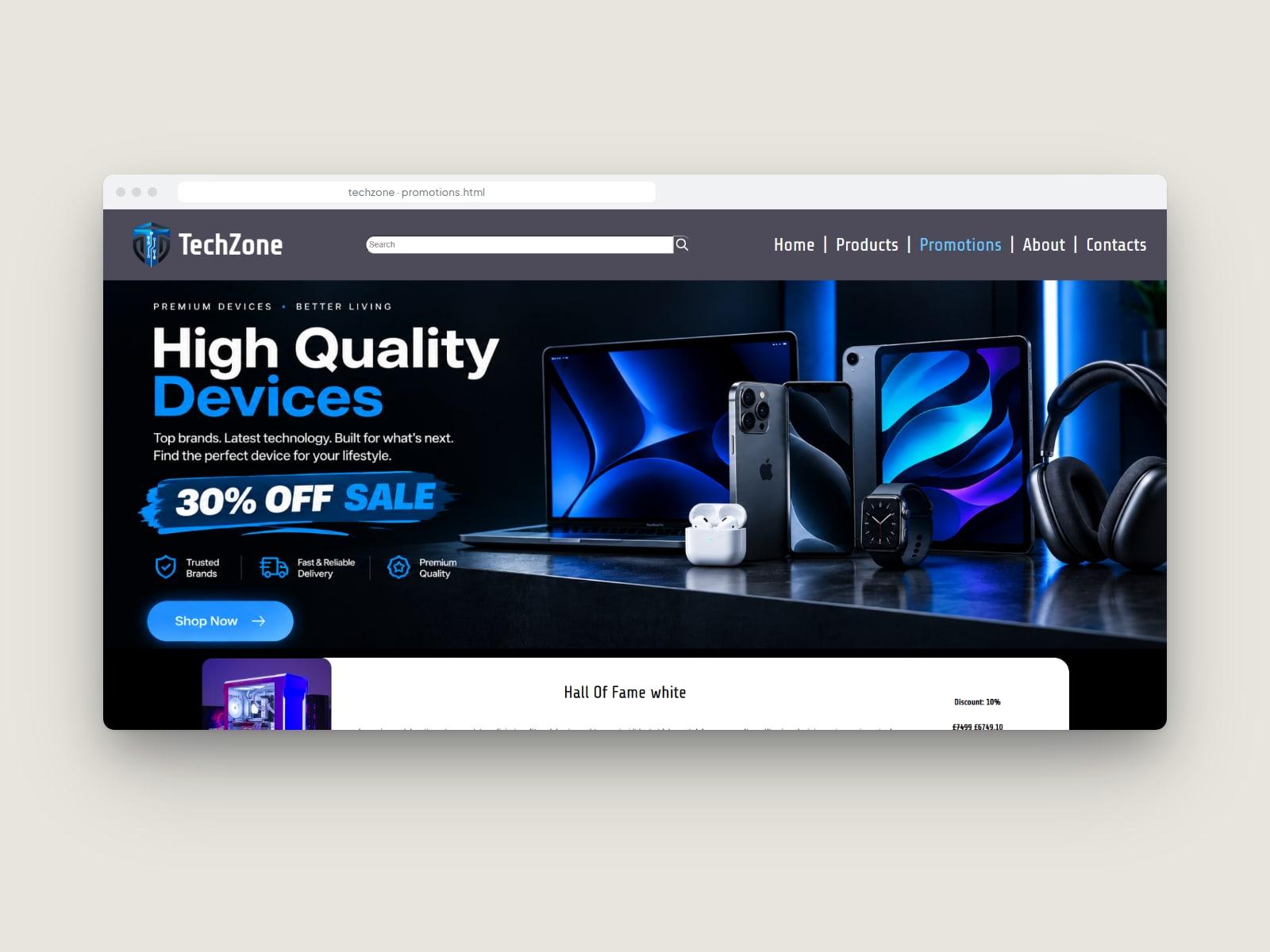
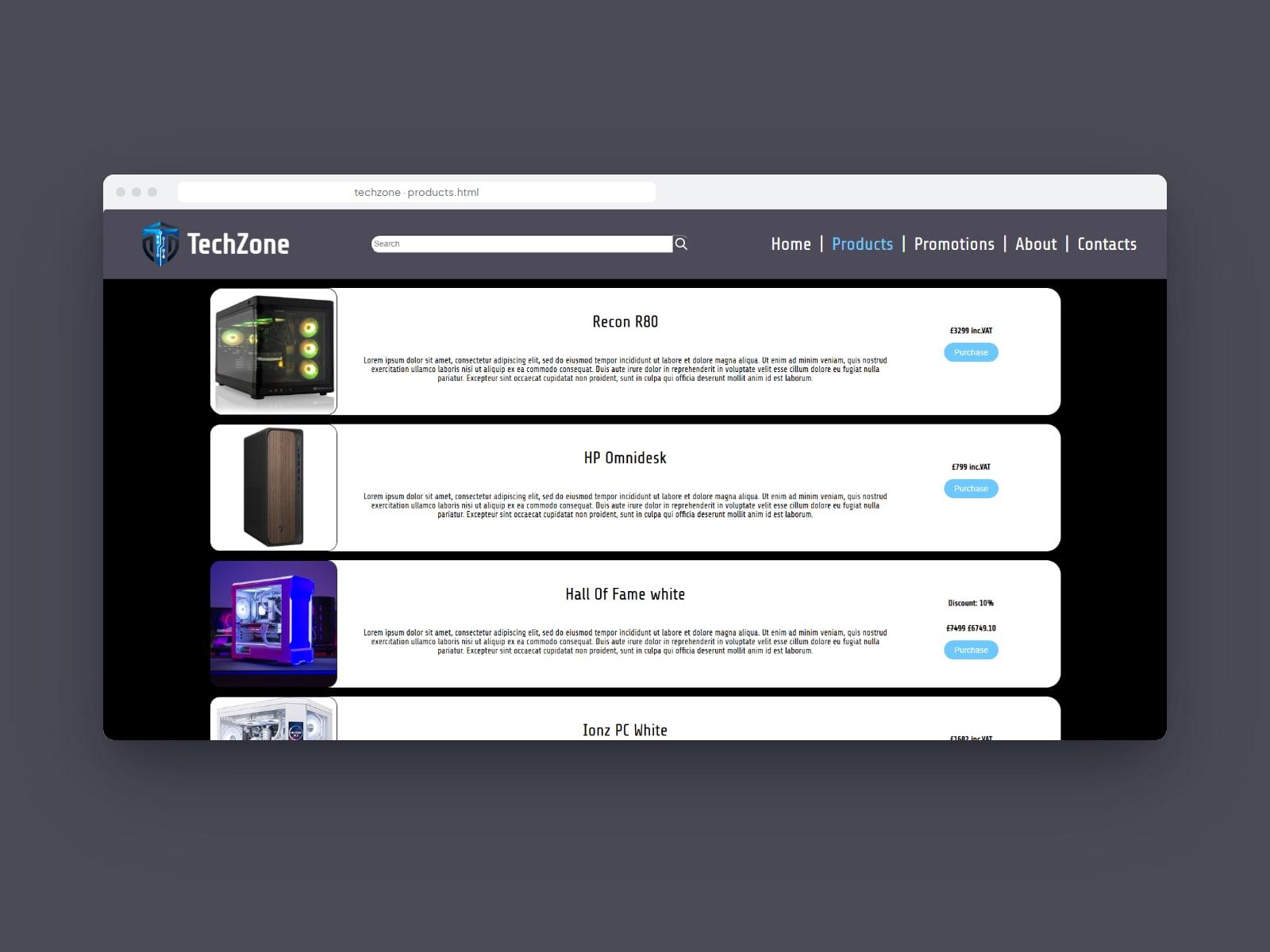
TechZone Electronics
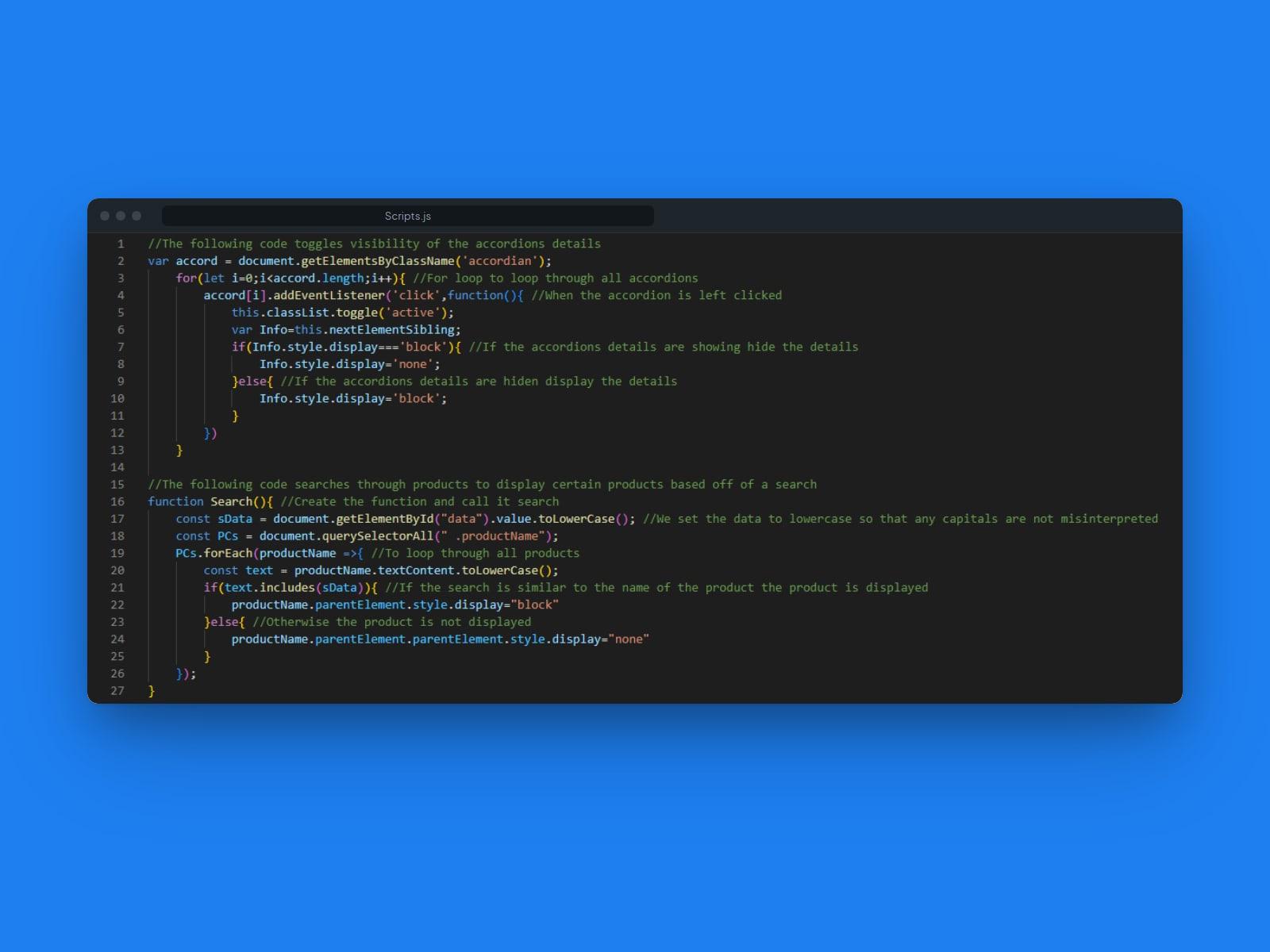
A five-page website for a made-up electronics shop, built in HTML, CSS and JavaScript as a group project. It has a product search and fold-out accordions, both written in JavaScript.
ToKo Fitness
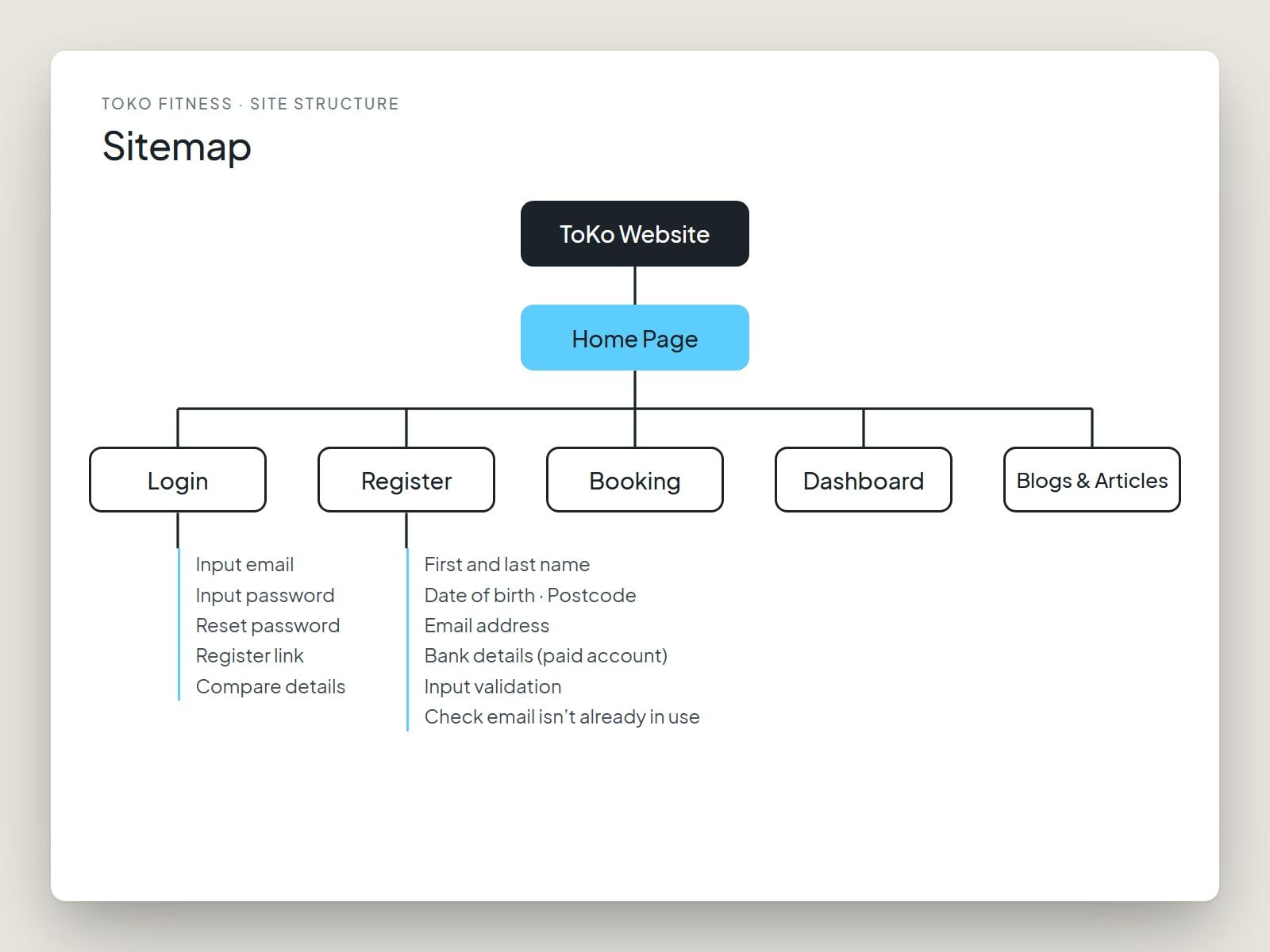
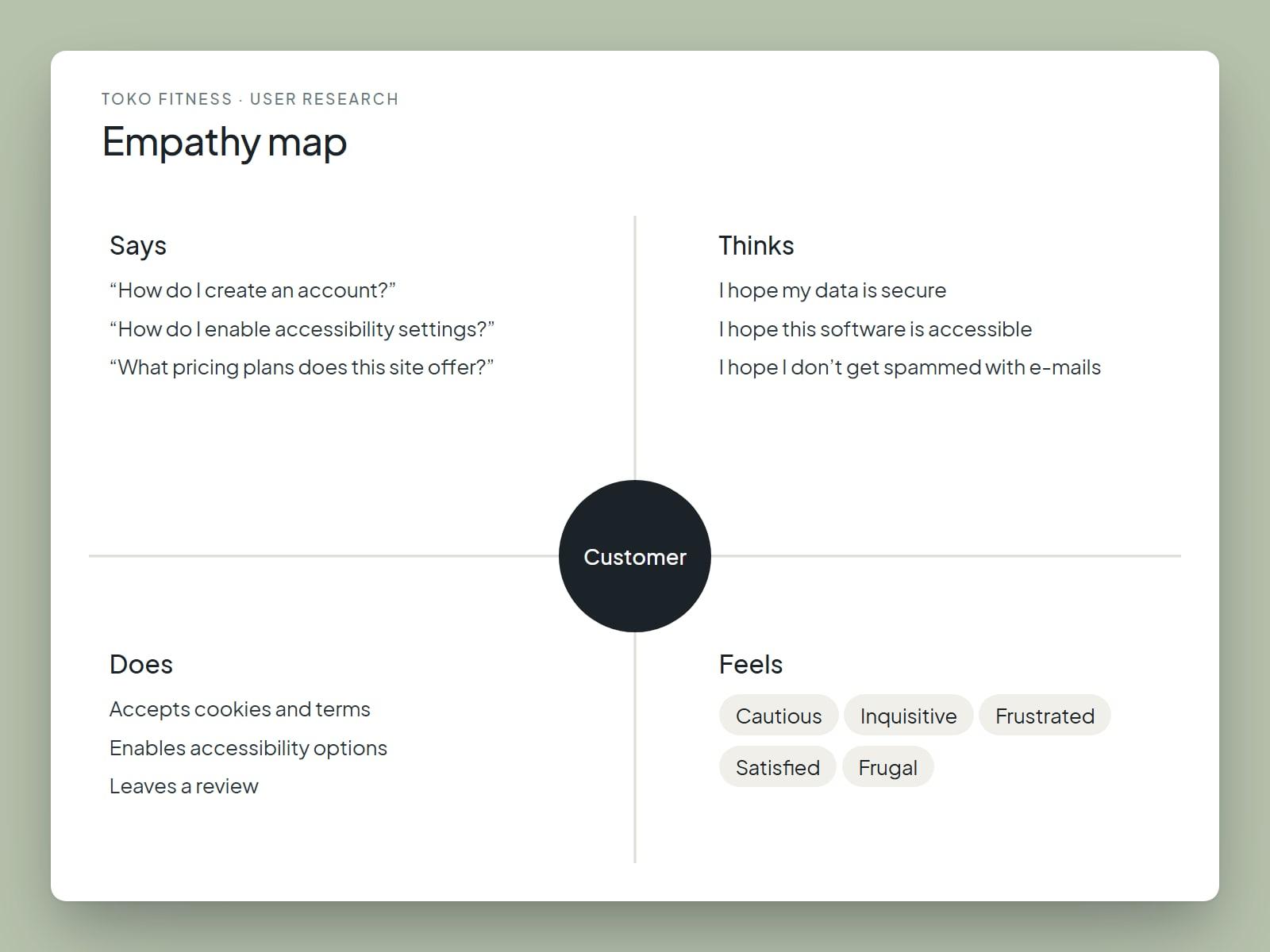
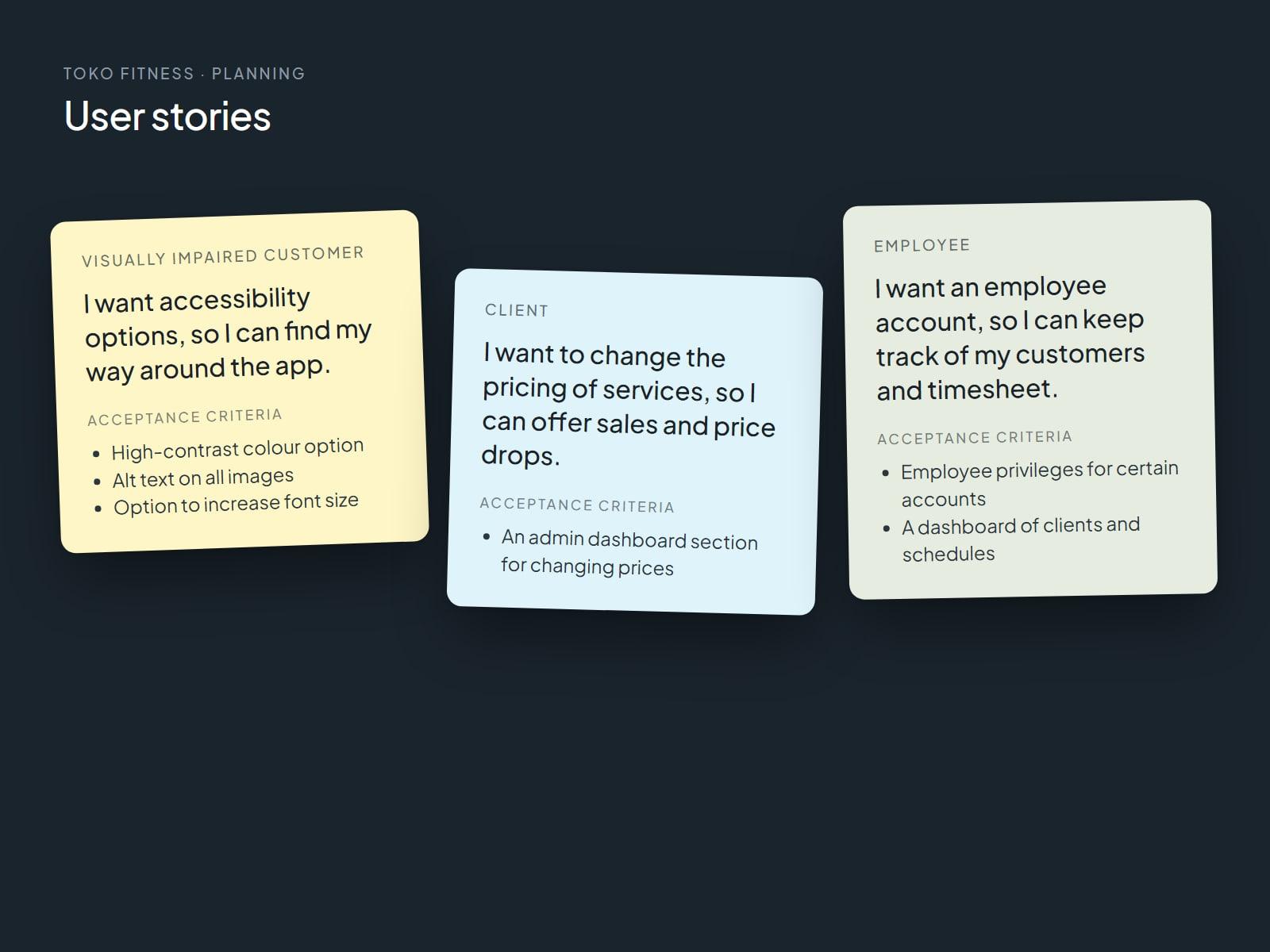
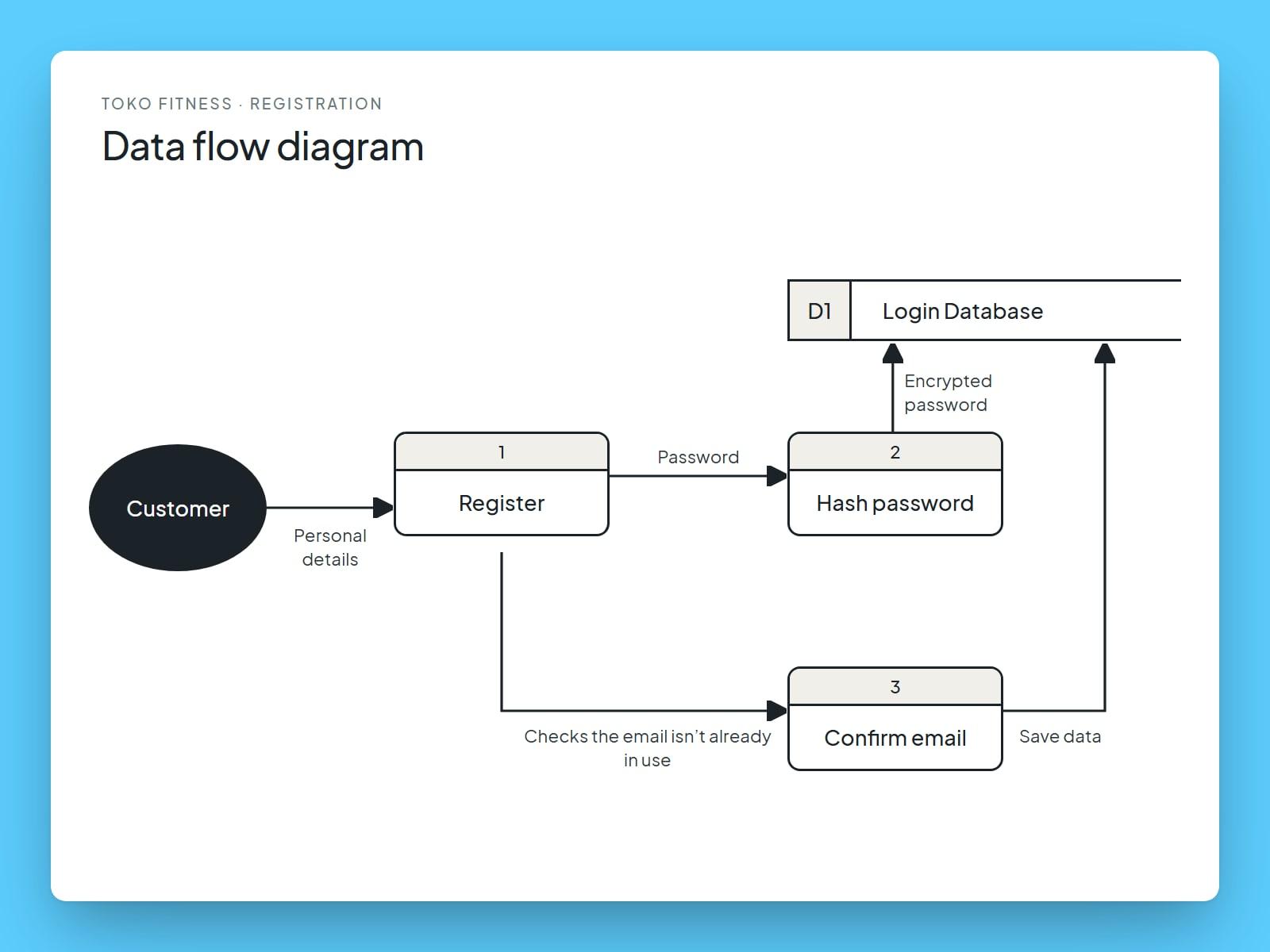
Planning a website for a gym where customers can book personal trainers: who uses it, what they need, and how the pages and data fit together. Redrawn from my college documents.
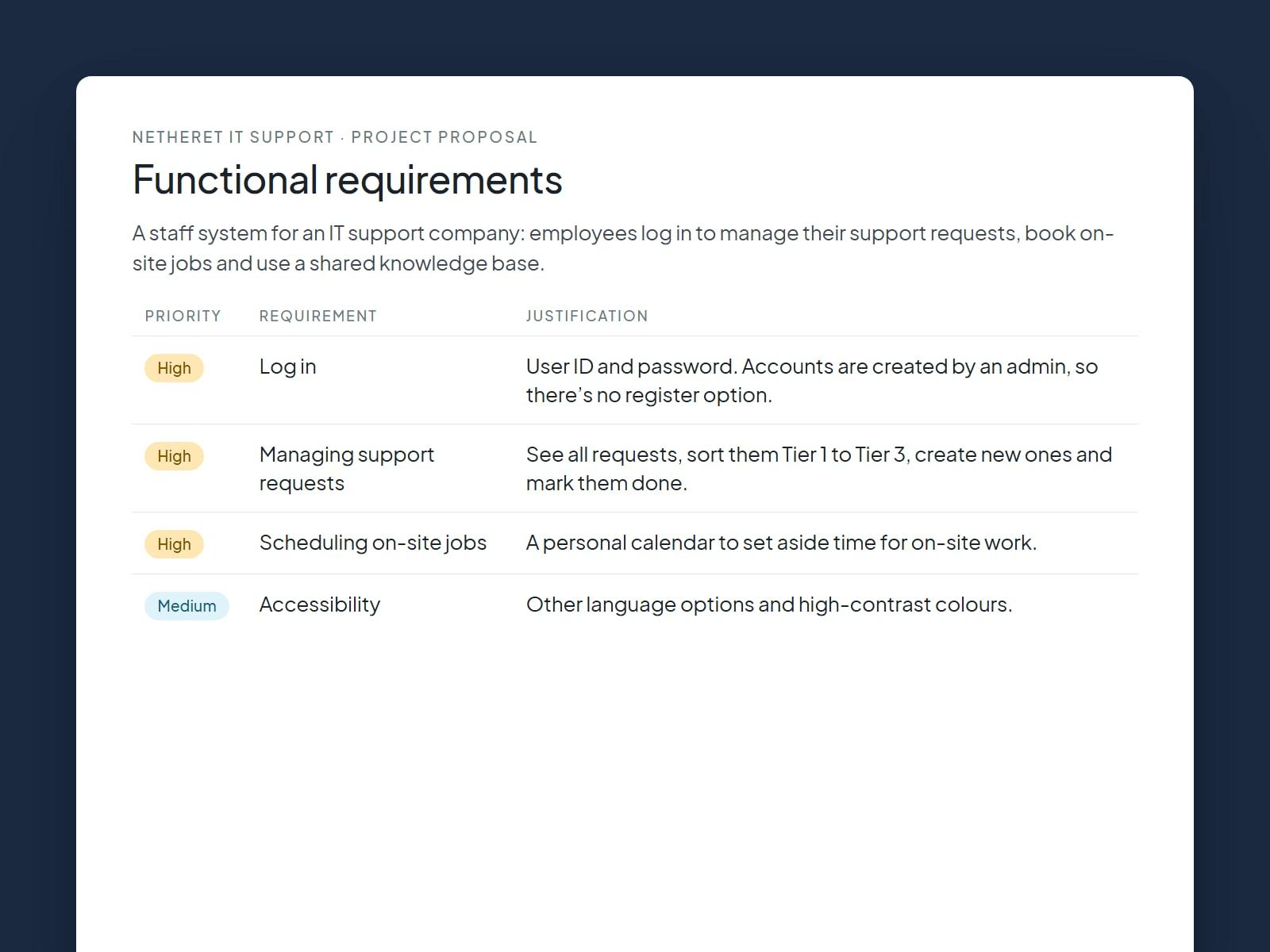
Netheret IT Support
A project proposal for a staff system at an IT support company, so employees can manage their support requests, schedule on-site jobs and share a knowledge base. Redrawn from my proposal document.